

As a supplier of full color metal LED wall washers, I understand the importance of keeping your lighting systems up - to - date. Software upgrades play a crucial role in enhancing the performance, functionality, and longevity of these advanced lighting fixtures. In this blog, I'll share some detailed steps and tips on how to upgrade the software of a full color metal LED wall washer.
Understanding the Need for Software Upgrades
Before delving into the upgrade process, it's essential to recognize why software upgrades are necessary. Firstly, new software versions often come with bug fixes. Over time, as the wall washer is used in various environments, software glitches may emerge. These can lead to issues such as inconsistent color output, flickering, or unresponsive controls. Upgrading the software can eliminate these problems, ensuring stable and reliable operation.
Secondly, software upgrades can introduce new features. For example, you might gain access to additional color modes, more precise dimming controls, or the ability to synchronize multiple wall washers for a more spectacular lighting display. These new features can significantly enhance the aesthetic and functional value of your lighting setup.
Lastly, security is another important aspect. Just like any other electronic device, LED wall washers are vulnerable to security threats. Software upgrades can patch security holes, protecting your lighting system from unauthorized access and potential malicious attacks.
Pre - upgrade Preparations
- Check Compatibility
Before starting the upgrade, make sure that the new software is compatible with your full color metal LED wall washer model. Refer to the product manual or contact our technical support team. You can find detailed information about our Full Color Metal LED Wall Washer on our website, which includes compatibility details and specifications. - Backup Data
Although software upgrades usually don't delete user - set data, it's always a good practice to back up any custom settings, color presets, or lighting schedules. This way, you can restore your preferred settings in case of any unexpected issues during the upgrade. - Gather Tools and Materials
You'll need a few tools and materials for the upgrade process. Typically, you'll need a computer with a stable internet connection, the appropriate software upgrade file (which can be downloaded from our official website), and a data cable to connect the wall washer to the computer.
Step - by - Step Upgrade Process
- Download the Software
Visit our official website and navigate to the support section for the full color metal LED wall washer. Locate the latest software version suitable for your model and download it to your computer. Make sure to save the file in a location where you can easily find it. - Connect the Wall Washer
Use the data cable to connect the full color metal LED wall washer to your computer. Ensure that the connection is secure and that the wall washer is powered on. You may need to refer to the product manual for the correct connection ports and procedures. - Launch the Upgrade Utility
Locate the downloaded software upgrade file on your computer and run the upgrade utility. Follow the on - screen instructions carefully. The utility will usually detect the connected wall washer and prompt you to start the upgrade process. - Monitor the Upgrade
Once the upgrade process begins, do not interrupt it. The wall washer may go through several stages of data transfer and installation. This process can take anywhere from a few minutes to half an hour, depending on the size of the software update and the speed of your computer. Keep an eye on the progress bar to track the upgrade status. - Verify the Upgrade
After the upgrade is complete, the utility will usually indicate that the process was successful. However, it's important to verify the upgrade by testing the wall washer. Check if all the new features are working as expected, and ensure that the color output, dimming controls, and other functions are operating correctly.
Troubleshooting Common Issues
- Connection Problems
If you encounter issues connecting the wall washer to the computer, check the data cable for any damage. Try using a different cable or a different USB port on your computer. Make sure that the wall washer is in the correct mode for software upgrades, as specified in the product manual. - Upgrade Failure
In case the upgrade fails, first check your internet connection to ensure that there were no interruptions during the download or installation process. You can try restarting the upgrade utility and repeating the process. If the problem persists, contact our technical support team for further assistance. - Functionality Issues
If you notice that some functions are not working correctly after the upgrade, try resetting the wall washer to its default settings and then re - configuring your custom settings. If the issue still exists, it could be a software bug. Report the problem to our support team, providing them with detailed information about the symptoms and the steps you've taken so far.
Tips for a Successful Upgrade
- Keep Your System Updated Regularly
Set a schedule to check for software updates periodically. This way, you can ensure that your full color metal LED wall washer always has the latest features and security patches. - Read the Release Notes
Before upgrading, read the release notes for the new software version. These notes provide valuable information about the new features, bug fixes, and any known issues. Understanding these details can help you make the most of the upgrade. - Seek Professional Help if Needed
If you're not confident in performing the software upgrade yourself, or if you encounter complex issues during the process, don't hesitate to contact our technical support team. We're here to assist you and ensure that the upgrade is completed successfully.
Conclusion
Upgrading the software of a full color metal LED wall washer is a relatively straightforward process that can bring significant benefits to your lighting system. By following the steps outlined in this blog, you can ensure a smooth and successful upgrade.
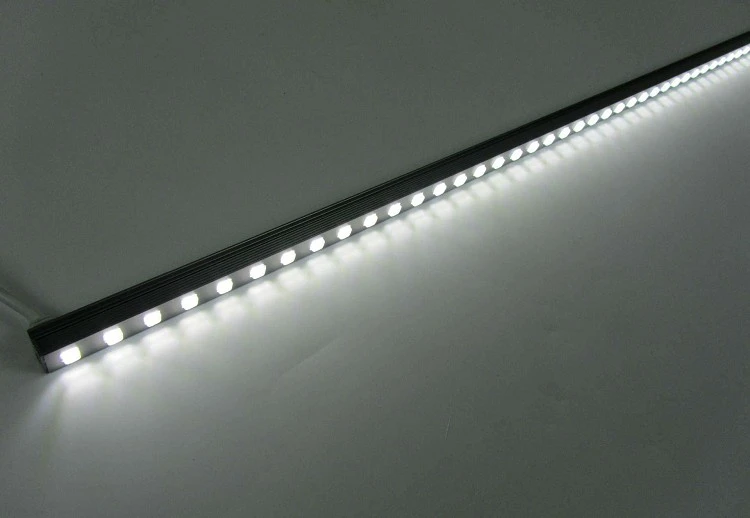
If you're interested in our full color metal LED wall washers or have any questions about software upgrades, please feel free to contact us for more information and to discuss potential procurement opportunities. We also offer other high - quality products such as Solar Alloy LED Wall Washer and Remote Control Ip65 LED Wall Washer.
References
- Product manuals of full color metal LED wall washers
- Technical support documentation from the manufacturer


